


Fisher-Price™ Play & Learn
4.627.00 Reviews
App Specs
- Version
- 0.8.9
- Updated On
- License
- Free
- Downloads
- 100,000+
- Developer
- AppQuiz
- Categories
- Educational
- Platform
- Android
Screenshots

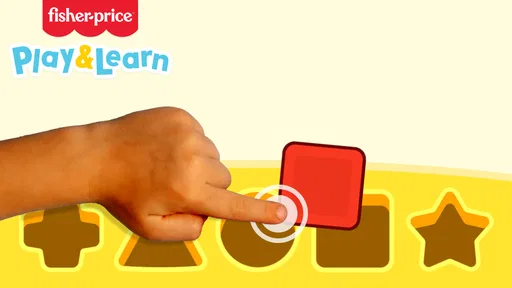
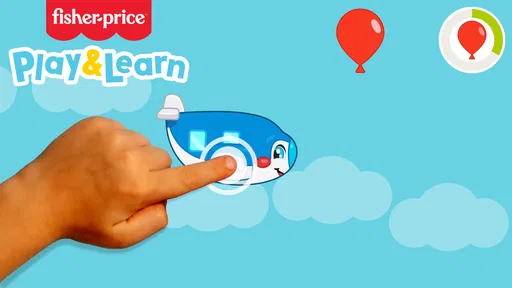
 Analysis by AppCompare
When a child asks for a phone during a quiet moment, I prefer giving them something with a clear purpose rather than opening a random video feed. Fisher-Price™ Play & Learn is an educational game aimed at young children, with playful activities that bring familiar early-learning ideas onto a phone or tablet. I see its best role as a short, shared play break—not a substitute for toys, books, conversation, or hands-on learning.
What a parent can reasonably expect
Made by AppQuiz, this free-to-download game is rated Everyone and has a 4.3 average from around 700 ratings. It has passed 100,000 installs, which suggests it has reached plenty of families, though popularity alone cannot tell me whether a particular child will enjoy its activities. The current version is 0.8.7, and it requires Android 7.1 or later.
The purchase context deserves a quick look before handing over a device: the game is free to download, with in-app purchases listed from $0.99 to $59.99 per item. That range makes it sensible to check the purchase settings on the device and to stay nearby when a child is playing. I would not assume that every activity is free, or that a child cannot reach a purchase screen, without checking the app and device settings myself.
Its age rating makes it broadly suitable for general audiences, but that does not replace a parent’s judgment about screen time or a child’s readiness to use a device independently. I’d start by sitting together, seeing what the child can navigate, and deciding whether the activities hold their attention without frustration.
A World of Fun and Learning
So, what's the deal with this app? It's designed to be a fun and educational experience for toddlers. You know how kids are always grabbing your phone? Now you can hand it over without worry. The app transforms your device into a safe and colorful environment where children can explore different games and activities.
The Fisher-Price™ Play & Learn app is packed with games that teach numbers, shapes, colors, and even basic problem-solving skills. It’s like having a mini preschool in your pocket! The graphics are vibrant, and the animations are smooth, which keeps the little ones engaged for longer than you’d expect.
Interactive Games Galore
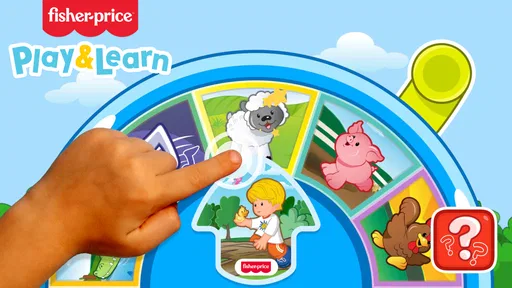
When it comes to content, there’s a lot to explore. The app offers a variety of interactive games that adapt to your child's learning pace. Each game is designed with the developmental stages of toddlers in mind, ensuring that they’re not only entertained but also learning as they play.
Worth Reading Before You Choose

EA SPORTS FC Mobile 26 Is a Bigger Football Game, but It Takes Time

Flipboard Shows What News Apps Must Do Beyond the Feed

Switching to Android Auto Means Rethinking Your Driving Routine

Google Calendar Makes a Crowded Week Easier to Manage

Ludo King Makes the Most of the Minutes Between Plans

Baby Panda World Brings Quick Play to Modern Phones, but Its Game Library Feels Busy
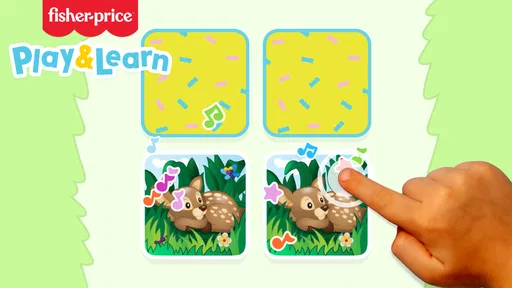
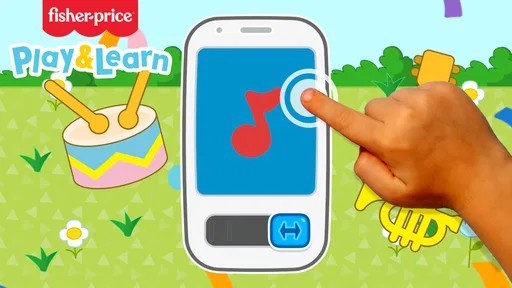
For instance, there's a delightful game where kids can match shapes and colors. The app uses positive reinforcement, with cheerful sounds and encouraging words, to keep kids motivated. And if your child loves music, there are musical activities that let them create their own tunes!
Make the screen time more intentional
I’d treat the activities as conversation starters rather than a way to occupy a child for a long stretch. If a shape-matching game catches their interest, I can ask them to find the same shape on a nearby toy or book page. That small step turns a tap-based activity into a chance to connect what appears on screen with something they can touch.
A practical routine is to choose one activity together, let the child try it, and then pause when their attention begins to wander. A phone game can be useful in a waiting room or during a short lull at home, but it works better as a planned change of pace than as the default response whenever a child is bored.
The music activities also invite a useful distinction: making sounds on a screen can be entertaining, but it is not the same as playing a real instrument or singing together. I’d use them to prompt a song, a clap-along, or a little dance away from the device. That keeps the app in a supporting role and gives the child a reason to look up from the screen.
Easy to Navigate for Tiny Hands
One of the things I love about this app is how easy it is to navigate. The interface is intuitive, even for the tiniest of hands. Large icons and simple instructions mean that kids can explore independently, giving them a sense of autonomy while you take a breather.
Plus, the parental controls are a blessing. You can easily set limits on playtime and adjust settings to suit your child's needs. It's reassuring to know that you can maintain control over what your child is exposed to.
A good fit for some families, not every child
I can see this being most useful for a caregiver who wants a child to explore simple early-learning ideas with an adult close by, especially when a coloring book or toy is not convenient. It may also suit a child who enjoys bright visual prompts and short activities. If a child is easily overstimulated by screens, loses interest quickly, or prefers physical play, I would not try to make the game a daily requirement.
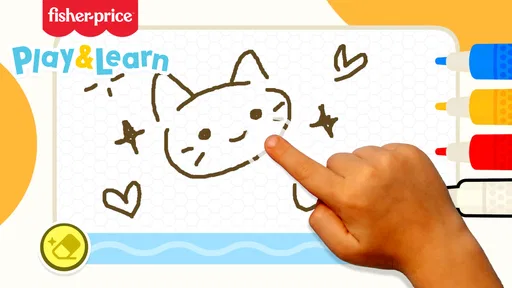
Compared with a basic drawing app, this game is more directed toward learning themes such as colors, numbers, and shapes. Compared with a storybook app, it emphasizes interactive play rather than following a narrative. Neither alternative is automatically better: a drawing app may give a child more open-ended freedom, while a book can encourage a calmer shared routine. I’d choose based on what the child needs in that moment, not on the assumption that one screen activity has to do everything.
One useful trade-off is that activities built around recognition and tapping can make practice feel approachable, but they cannot show whether a child understands an idea away from the screen. If a child matches a color correctly, I’d casually see whether they can spot that color on a cup or shirt too. That is a simple way to judge whether the game is prompting learning rather than just a familiar tapping pattern.
Safe and Ad-Free Environment
In a world where ads can pop up unexpectedly, it's a relief to know that this app is ad-free. The developers have done a fantastic job ensuring that the environment is safe and secure for children. This means no accidental clicks or unwanted content sneaking in.
The app is also designed to work offline, so you don’t need to worry about connectivity issues. Whether you're on a long car ride or waiting at a doctor's appointment, this app is a handy tool to keep your child entertained.
Spending, settings, and the limits of what to assume
Because there are in-app purchases, I would check the purchase controls before letting a young child use the device alone. A free download is not the same thing as every part of an app being free, and the listed per-item range runs from $0.99 to $59.99. I would avoid promising a child access to a particular activity until I had checked what is available in the version on the device.
The mention of parental controls in the app experience is helpful, but I would still distinguish app settings from the device’s own purchase protections and screen-time tools. Before a trip, I’d open the game with the child, confirm what they can reach, and make sure the device itself is configured the way I want. That quick check is more dependable than assuming a child-facing interface will prevent every unwanted tap.
I also wouldn’t treat offline availability as a guarantee that every part of the experience behaves identically without a connection. If I planned to rely on it during travel, I’d test it at home first, rather than discovering a limitation while waiting somewhere with a restless child. That is a small practical check, but it makes the app easier to use with confidence.
Some details matter to families but should be checked directly in the app and device settings: which activities are accessible without paying, how purchase prompts appear, and how the controls behave for a particular child. I would not infer those specifics from the free download or the age rating. A few minutes of adult setup can prevent confusion later.
Final Thoughts
All in all, Fisher-Price™ Play & Learn is a fantastic addition to any parent's toolkit. It’s engaging, educational, and, most importantly, fun for the little ones. The variety of games and the ease of use make it a standout choice for toddler-friendly apps.
If you're looking for a way to entertain and educate your child simultaneously, this app is definitely worth a download. It's like having a little piece of Fisher-Price in your pocket, ready to unleash fun and learning at a moment’s notice.
My recommendation comes with a practical boundary: I’d try it first alongside the child, review the purchase settings, and see whether the activities suit their interests. AppQuiz’s game is free to download, but in-app purchases are available, so families should make their own call about spending and supervision. For a child who likes guided, colorful play, it may be a handy option; for a child who would rather build, draw, move, or hear a story, I’d choose one of those activities instead.
Pros
- Engaging educational games for kids
- Colorful and child-friendly interface
- Supports multiple languages
- Parental controls for safe play
- Encourages creativity and learning
Cons
- Requires internet for full features
- In-app purchases can add up
- Limited content without subscription
- May not suit older children
- Some games may be repetitive
FAQs for Fisher-Price™ Play & Learn
What is Fisher-Price™ Play & Learn and who is it suitable for?
Fisher-Price™ Play & Learn is an educational app designed for young children, typically aged 0-5 years. It offers interactive games and activities that help develop cognitive skills, creativity, and motor skills. The app is ideal for parents looking for a safe, engaging, and educational platform for their toddlers.
Is Fisher-Price™ Play & Learn free to download and use?
The app is free to download and offers a range of basic features at no cost. However, it may include in-app purchases to unlock additional content or features. Users can enjoy a substantial amount of content for free, but purchasing options can enhance the experience with more games and activities.
What kind of content can I expect from Fisher-Price™ Play & Learn?
Fisher-Price™ Play & Learn includes a variety of games and educational activities focusing on numbers, letters, shapes, and colors. The app is designed to be visually appealing and interactive, using vibrant graphics and playful sounds to keep young users engaged while learning essential skills through play.
How safe is Fisher-Price™ Play & Learn for children?
The app is designed with child safety in mind, featuring a kid-friendly interface that's easy to navigate. There are no third-party ads, and parental controls are available to manage purchases and screen time. Additionally, the content is crafted to be age-appropriate and safe for young children.
Can Fisher-Price™ Play & Learn be used offline?
Yes, Fisher-Price™ Play & Learn can be used offline, which makes it an excellent option for travel or areas with limited internet access. Once downloaded, most of the app's content is accessible without an internet connection, allowing children to play and learn anytime and anywhere.


